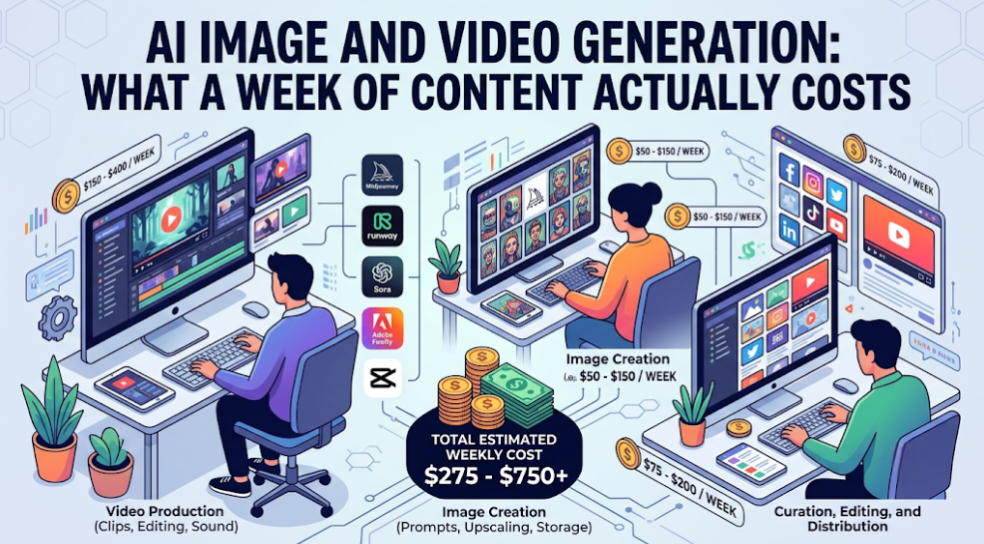
AI image and video pricing looks trivially cheap on the pricing page. Cents per image. A dollar or two per short video clip. At those numbers a week of content costs less than lunch.
Then the first real invoice arrives and it is five times the estimate.
The gap is not hidden fees. It is a single variable that pricing pages never model and every working creator knows intimately: you do not generate one image, you generate eleven.
The iteration multiplier
Nobody gets a usable asset first try. The realistic pattern for a specific creative brief:
| Stage | Generations |
|---|---|
| Initial attempts | 3–4 |
| Prompt refinement | 3–5 |
| Variations of the good one | 2–3 |
| Final adjustments | 1–2 |
| Total per usable asset | 9–14 |
So the honest unit price is not the per-generation price. It is:
per-generation price × 10 = realistic cost per usable asset
This multiplier is higher for video than for images, because video briefs are more specific, failures are more obvious, and the iteration loop is slower — you cannot glance at a clip the way you glance at a thumbnail.
A realistic weekly model
Take a creator producing a normal week of content:
- 5 blog header images
- 15 social graphics
- 2 short-form video clips (5–10 seconds)
- 1 longer video segment (~30 seconds)
Applying a 10× iteration multiplier at typical market rates:
| Asset | Usable | Generations | Approx. cost |
|---|---|---|---|
| Blog headers | 5 | ~50 | $2–5 |
| Social graphics | 15 | ~120 | $5–12 |
| Short clips | 2 | ~20 | $15–40 |
| Longer segment | 1 | ~10 | $15–35 |
| Weekly total | $37–92 |
Monthly: roughly $150–370, dominated entirely by video.
Two things fall out of this immediately.
Images are effectively free. Even with heavy iteration, a full month of image generation lands in the $30–70 range. Optimising it is not worth your attention.
Video is the entire budget. Two short clips can cost more than a hundred images. If your bill is uncomfortable, it is video, and every cost decision should start there.
Where creators actually overspend
Generating at maximum quality during exploration. The first six attempts are about composition and concept, not fidelity. Explore at low resolution and short duration, then regenerate the winner at full quality. This alone commonly halves a video bill.
Using the premium model for everything. Model tiers vary several-fold in price. A social graphic does not need the flagship model. A hero image might.
Vague prompts. Every ambiguity in a prompt is an extra iteration. Ten minutes spent writing a precise prompt saves five generations, and five generations of video is real money.
Regenerating instead of editing. A clip that is 90% right often needs a crop, a colour adjustment, or a trim — not a fresh generation. Traditional editing is free; generation is not.
Paying per-model subscriptions for occasional use. If you use three image models a few times a month each, three separate subscriptions is the most expensive possible arrangement.
Subscription versus pay-per-generation
Two structures, and the right one depends entirely on volume.
Pay-per-generation is cheaper below roughly 200 generations a month. No commitment, no waste, scales down to zero in a quiet month.
Bundled subscriptions win above that, and they usually include the text models too — which matters, because scripting, prompt writing, and caption generation are part of the same workflow and are usually bought separately.
Platforms that bundle image and video generation alongside text models publish tiered plans with credit allowances that cover both, typically starting around $15/month for a modest allowance and scaling up. The advantage is not only price — it is that one allowance covers scripting, prompting, and generating, instead of three bills that each have their own minimum.
Before switching either way, get your current number. An AI subscription calculator totals the plans you currently hold and compares them against a consolidated figure, which is a faster answer than modelling it yourself.
The four levers that cut the bill
1. Explore cheap, finish expensive. Low resolution and short duration for the first five or six attempts. Full quality only for the winner. This is the single largest lever in video and costs you nothing but discipline.
2. Write the prompt properly first. Specify subject, composition, lighting, style, camera movement, and duration before generating. Vague prompts are the main driver of the iteration multiplier, and the multiplier is the whole problem.
3. Batch similar assets. Fifteen social graphics in one session, with a working prompt template, costs far less than fifteen graphics generated across a week from scratch each time. The prompt is the reusable asset, not the image.
4. Edit rather than regenerate. Crop, recolour, trim, composite. Conventional editing on a 90%-right asset beats generating a new one that will also be 90% right, differently.
What to budget realistically
By output volume:
| Output level | Realistic monthly spend |
|---|---|
| Images only, moderate volume | $20–50 |
| Images + occasional video (2–4 clips) | $80–150 |
| Regular video (8–12 clips) | $200–400 |
| High-volume video production | $500+ |
If your actual spend is well above the band for your output level, the cause is almost always exploring at full quality or using premium models for routine assets. Both are fixable in a day.
The comparison nobody runs
Before optimising generation costs, run the comparison against the alternative.
A stock image licence is a few dollars and takes two minutes. A freelance designer produces a hero image for $50–200. A video editor produces a polished 30-second segment for several hundred.
AI generation wins decisively on volume, speed, and specificity — the exact asset you imagined, now, at 3am. It loses on anything requiring genuine craft judgement or brand consistency across a large campaign.
The productive question is not “how do I reduce my generation bill” but “which assets should be generated at all”. Social graphics at volume: generate. The hero image for your flagship page: probably not, or at least not without heavy human finishing.
Frequently asked questions
How much does AI video generation cost per clip? List prices for short clips typically run from under a dollar to a few dollars depending on model, resolution, and duration. Realistic cost per usable clip is roughly ten times that, because of iteration.
Is AI image generation cheaper than stock photos? Per asset, usually yes, especially at volume. Stock wins when a generic image will do and you value the two-minute turnaround over specificity.
Why is my AI generation bill higher than expected? Almost always iteration count, compounded by exploring at full quality. Count your actual generations per usable asset — most people are surprised.
Should I buy a subscription or pay per generation? Pay-per-generation below roughly 200 monthly generations; a bundled subscription above that, particularly if you also need text models for scripting and captions.
How do I reduce AI video costs? Explore at low resolution and short duration, write precise prompts before generating, and edit near-misses instead of regenerating them. Video is where essentially all the savings are.
The number to track
Not spend. Generations per usable asset.
If it is above twelve, your prompts are too vague or you are exploring at the wrong quality setting. Get it to six and your bill halves without producing one fewer piece of content.